— Project Info
| Role | Product Designer |
| Duration | 1 Month |
| Tools | Pencil & marker, band saw, disc & belt sander, Dremel, file & glasspaper, spray paint |
| Skills | Sketching · Orthographic Drawings · Ergonomic Testing · Prototyping |
Challenge
Create a visual representation of my own personal characteristics in the form of a computer mouse. The brief gave no styling direction — ten intangible words had to become an object that still worked under a hand.
Solution
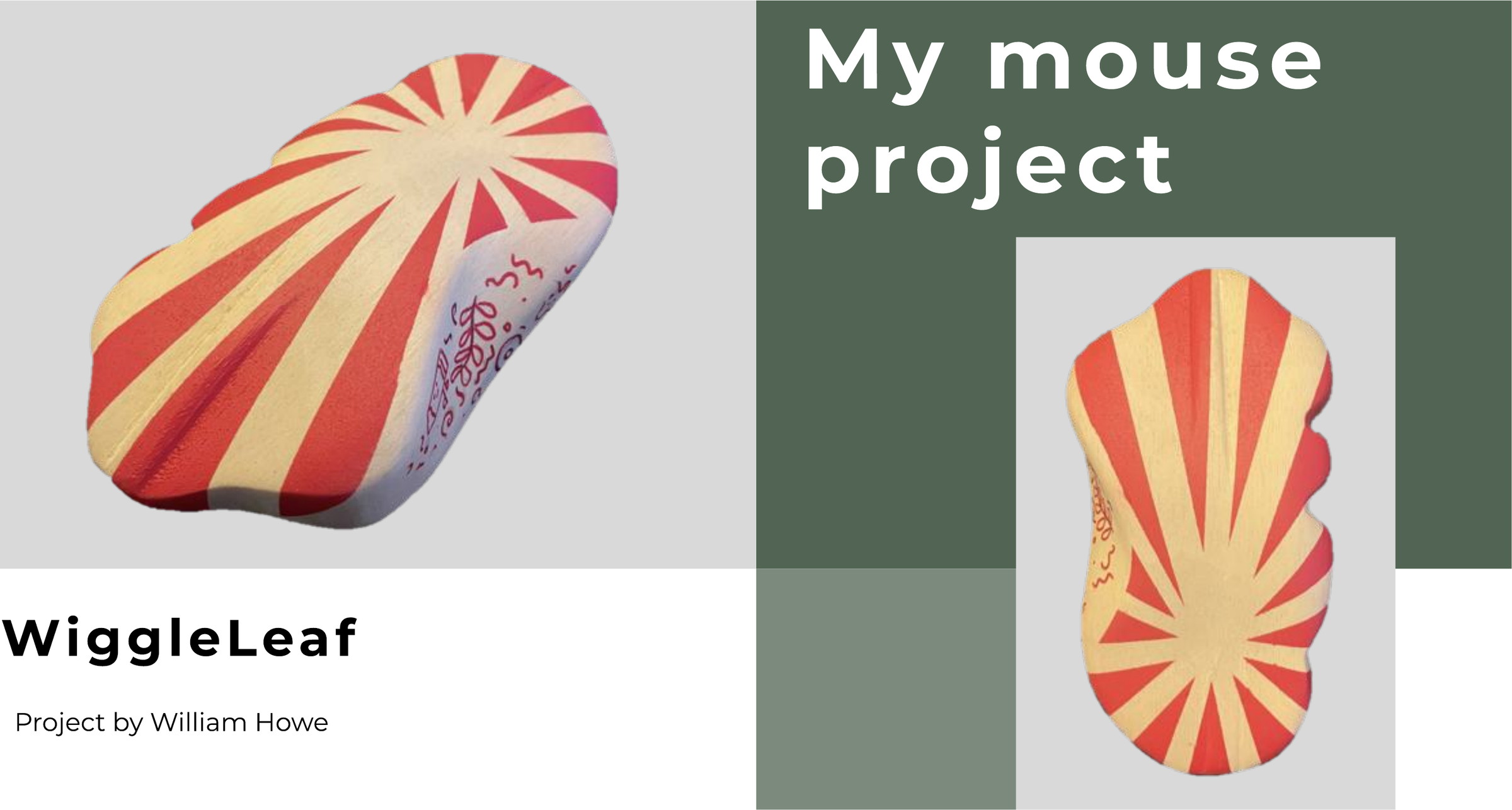
WiggleLeaf translates those attributes into an organic, leaf-derived form: vein-like grooves for grip, an undercut resting the pinky and ring finger, and a circus-red sunburst with hand-drawn doodles. Two foam prototypes fixed the ergonomics before the final jelutong model.
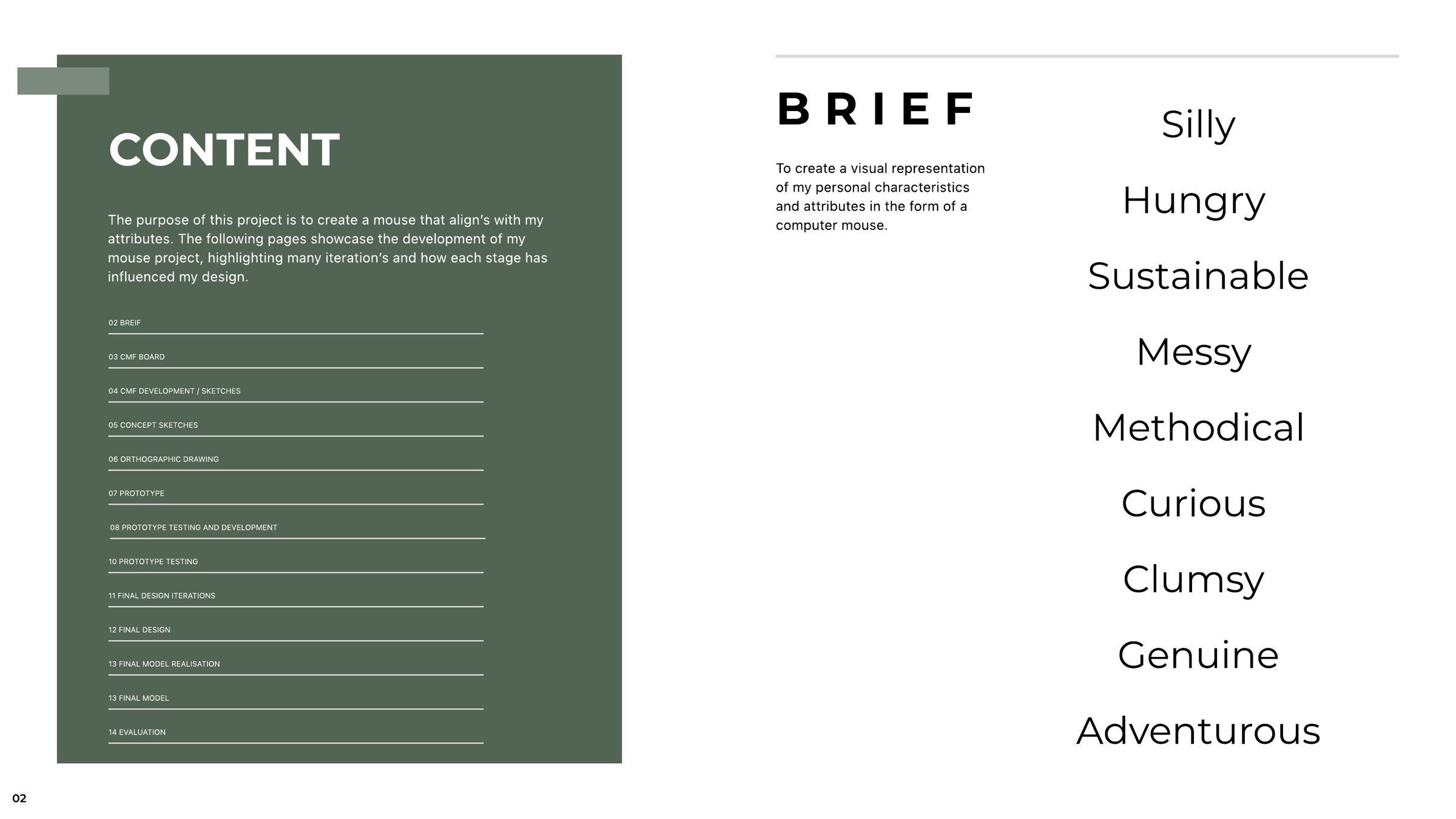
The brief, and the ten words I chose to design from. Every decision after this page had to trace back to one of them.
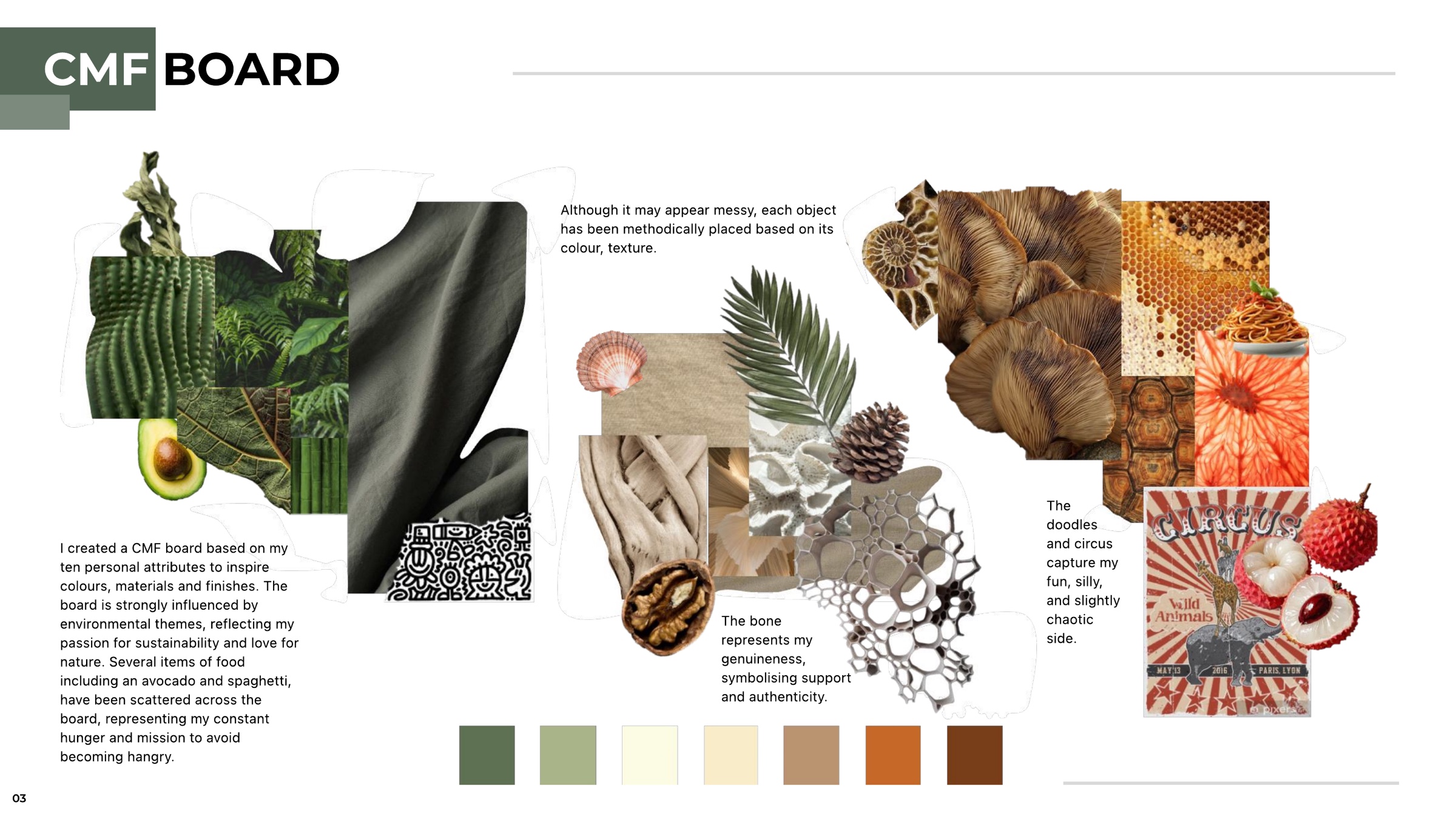
A CMF board built attribute by attribute: greens and plant matter for sustainability, scattered food for being permanently hungry, bone for genuineness, and a circus poster for the silly, slightly chaotic side. It looks messy, but every object is placed by colour and texture — methodical underneath.
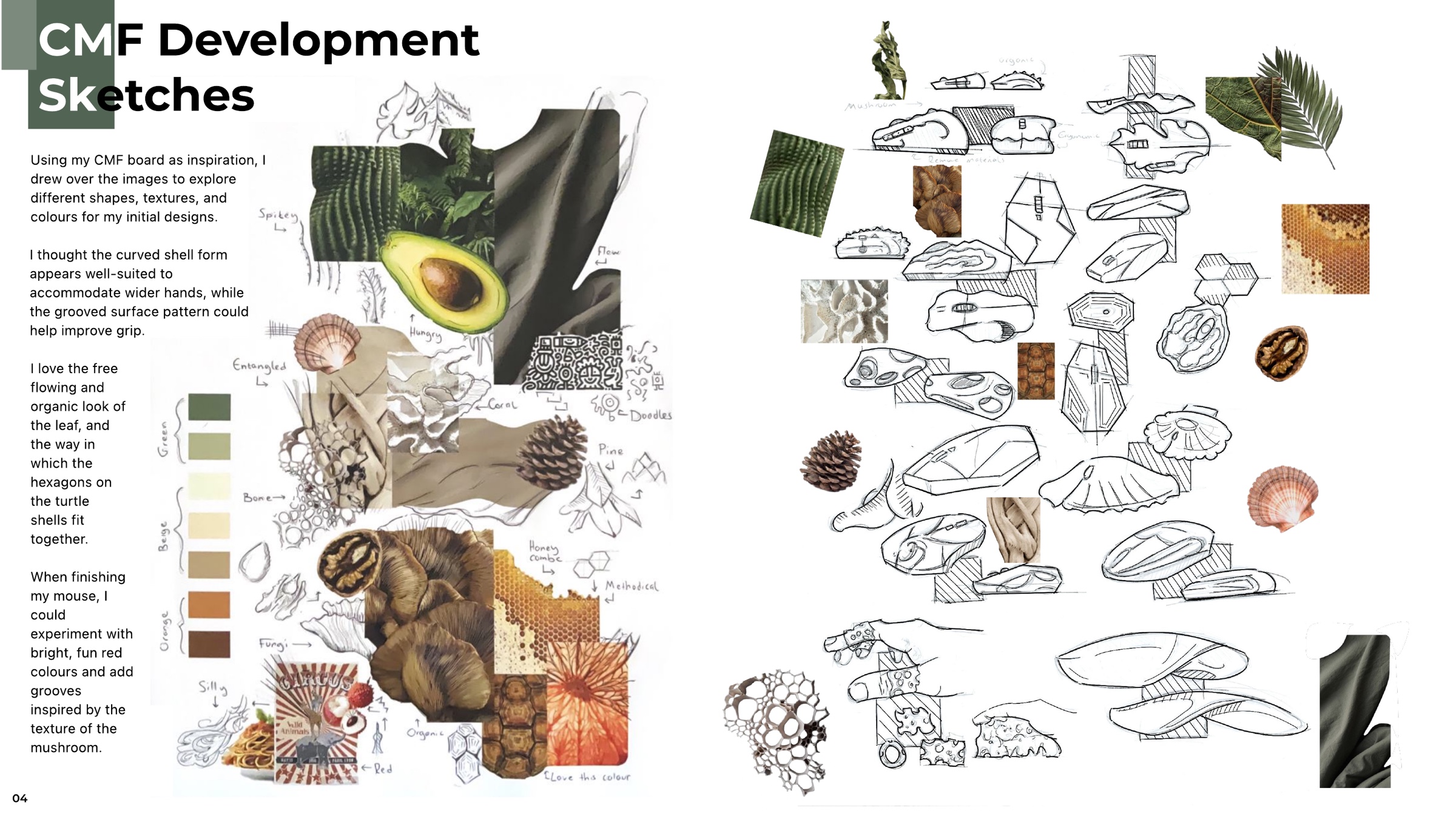
Rather than sketch away from the board, I drew straight over it — tracing the flow of a leaf, the spikes of a cactus, the tessellation of a turtle shell and the ribbed underside of a mushroom, then pushing each one into a mouse-sized form.
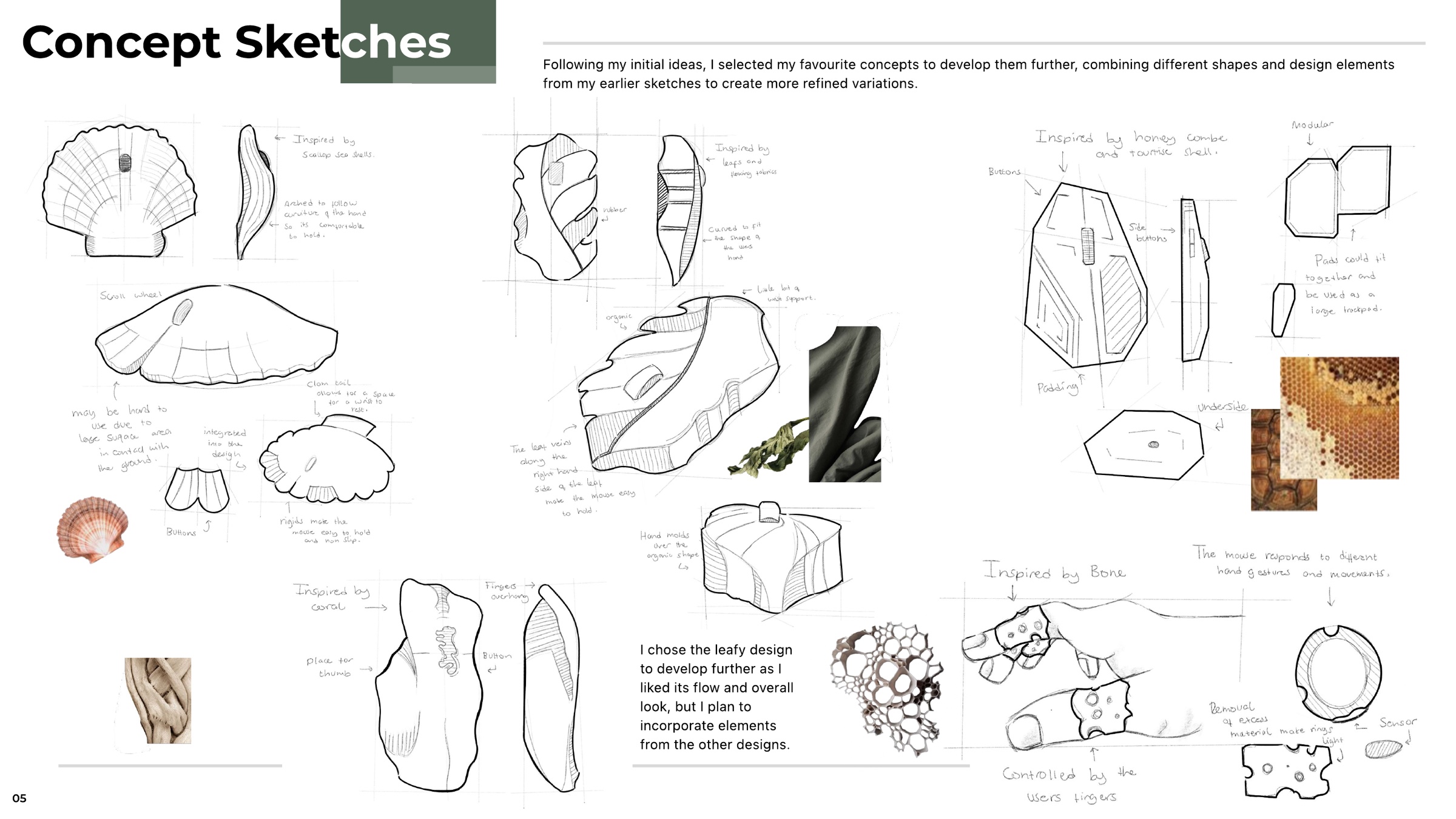
Four directions developed further — a scallop shell arched to the curve of the hand, a honeycomb modular pad, a gesture-controlled bone form, and the leaf. I took the leaf forward for its flow, but carried details across from the others.
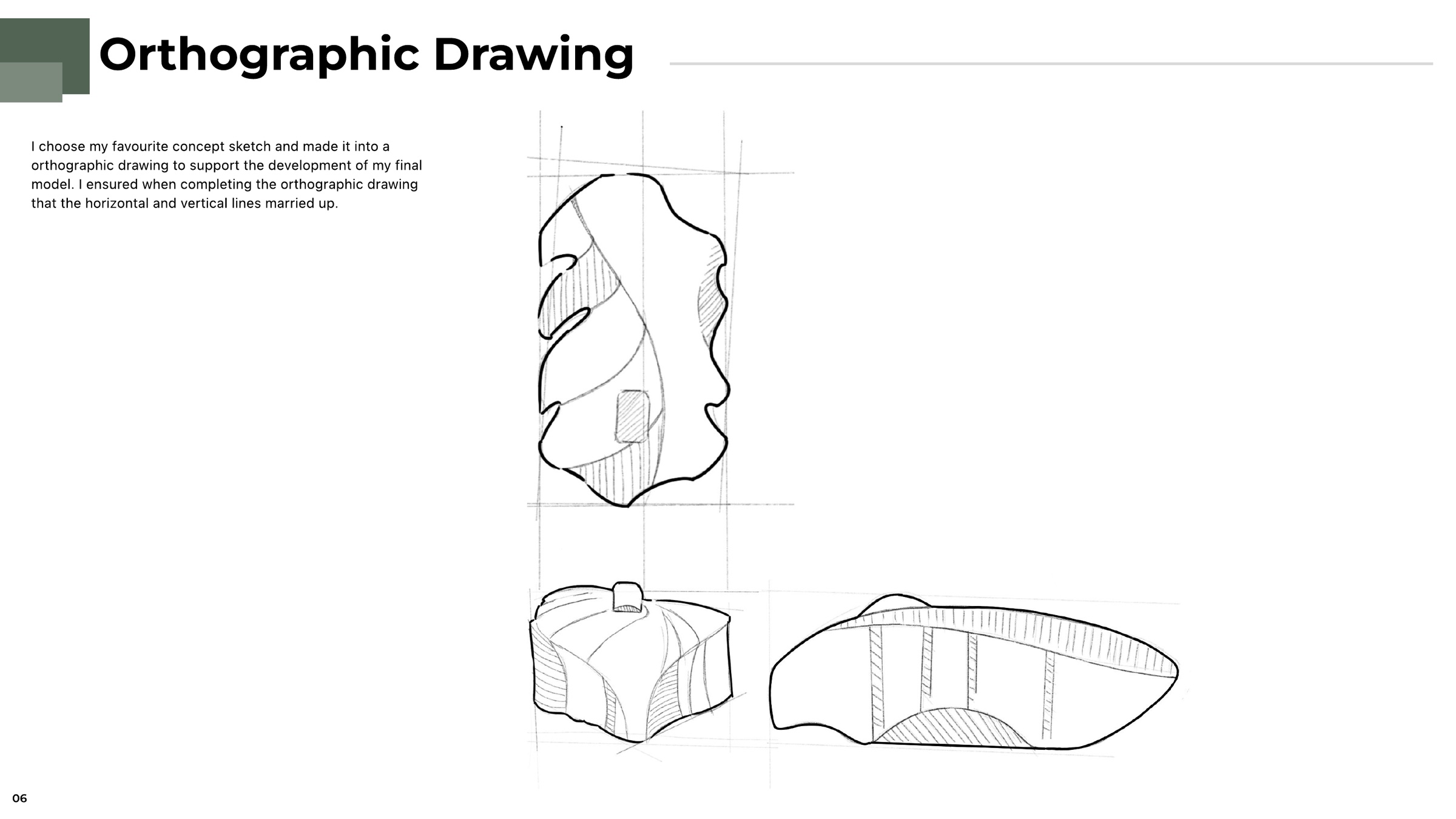
The chosen concept drawn up in plan, front and side, with the horizontal and vertical lines married across views so the shape could be transferred onto a foam block accurately.
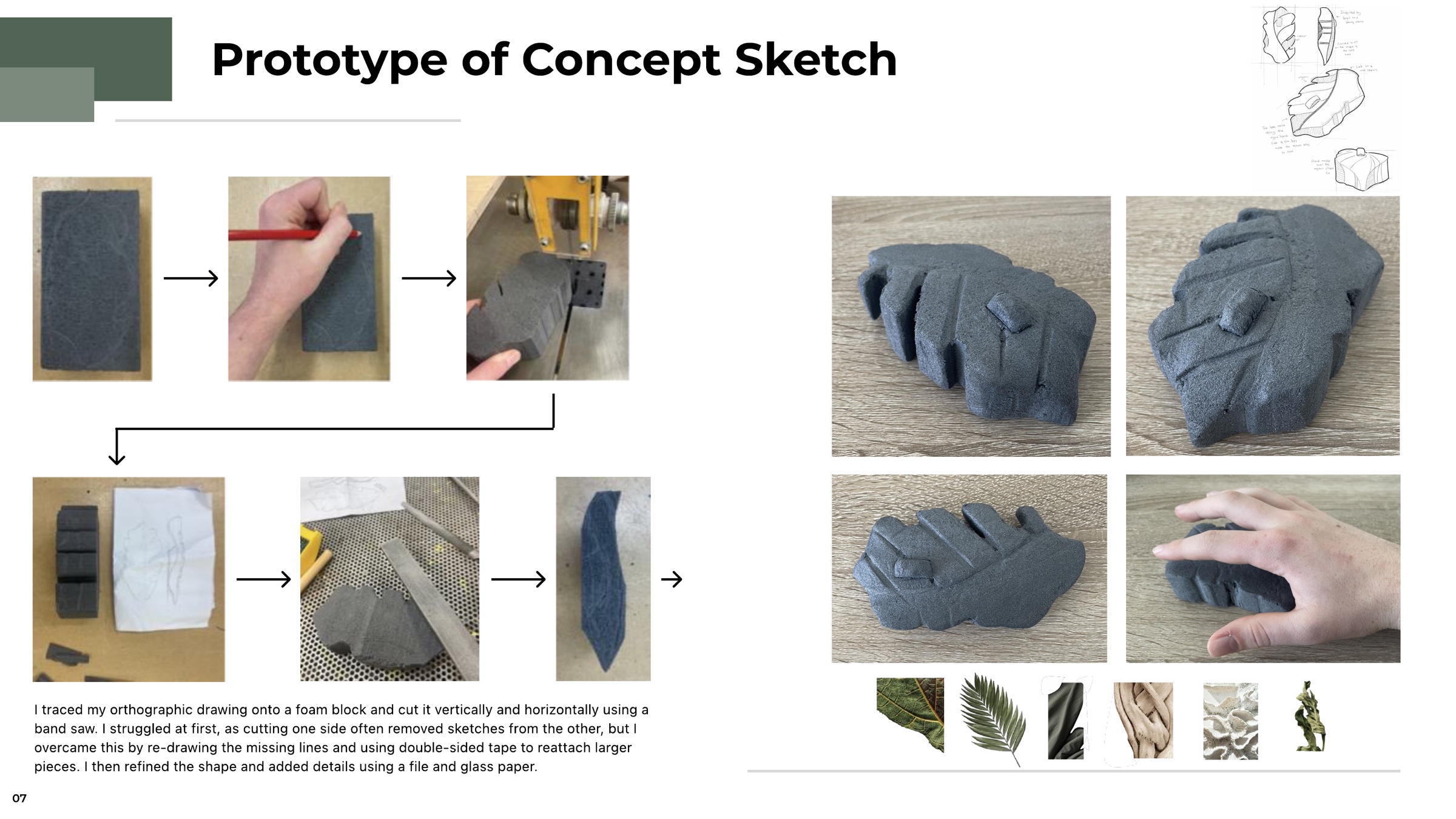
The orthographic traced onto foam and cut vertically and horizontally on the band saw. Cutting one face kept removing the drawing on the other, so I re-drew the missing lines and taped larger offcuts back on before refining with a file and glasspaper.
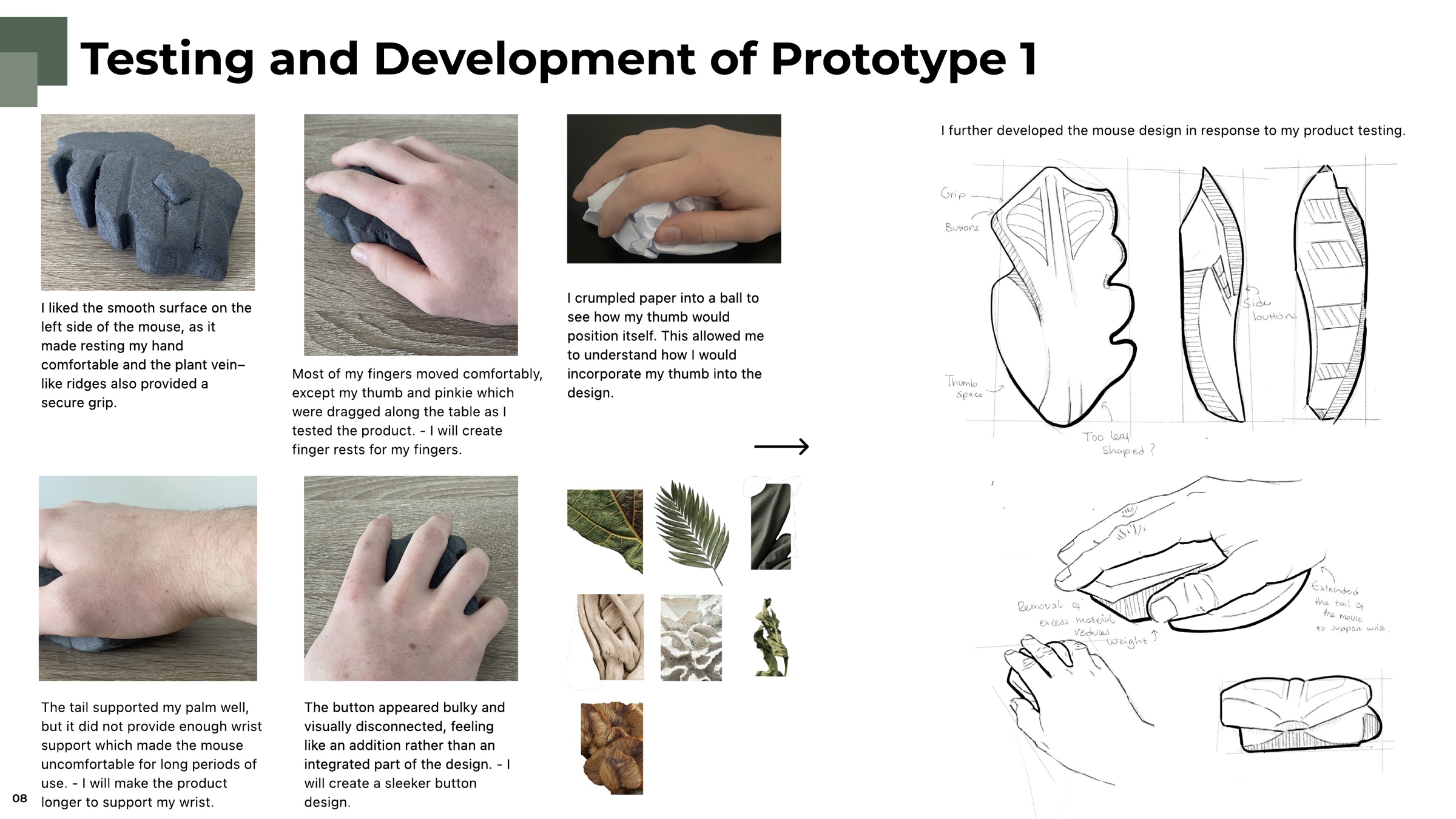
Testing in the hand found three problems: the thumb and pinky dragged along the table, the tail supported the palm but not the wrist, and the button read as a bolted-on addition. I crumpled paper into a ball to find where my thumb naturally sits, then sketched in finger rests, a longer body and a sleeker integrated button.
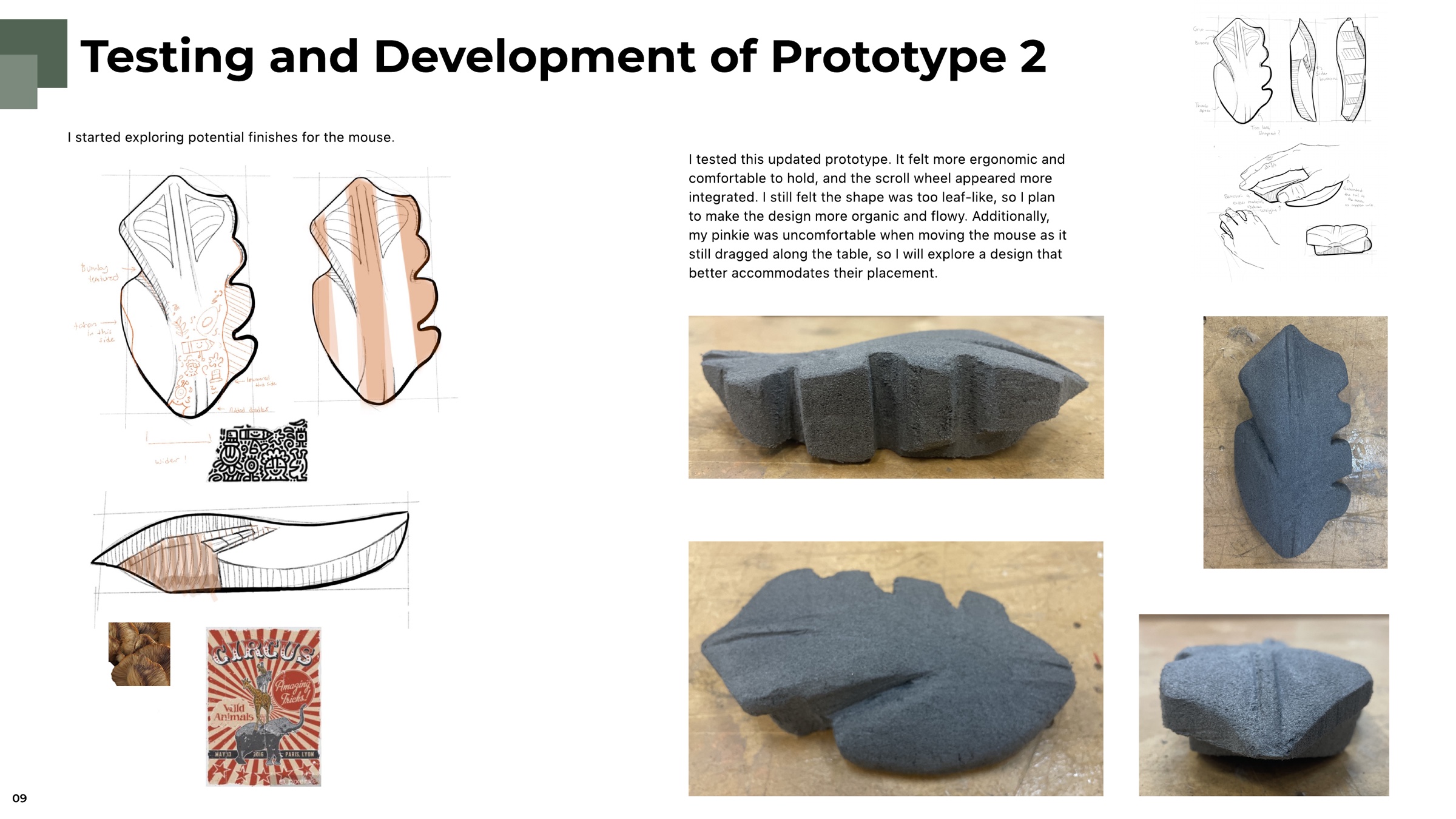
Prototype two was more ergonomic and the scroll wheel finally felt part of the body — but the silhouette was still too literally leaf-shaped, and the pinky was still catching. I also started testing finishes here, against the fungi and circus imagery from the board.
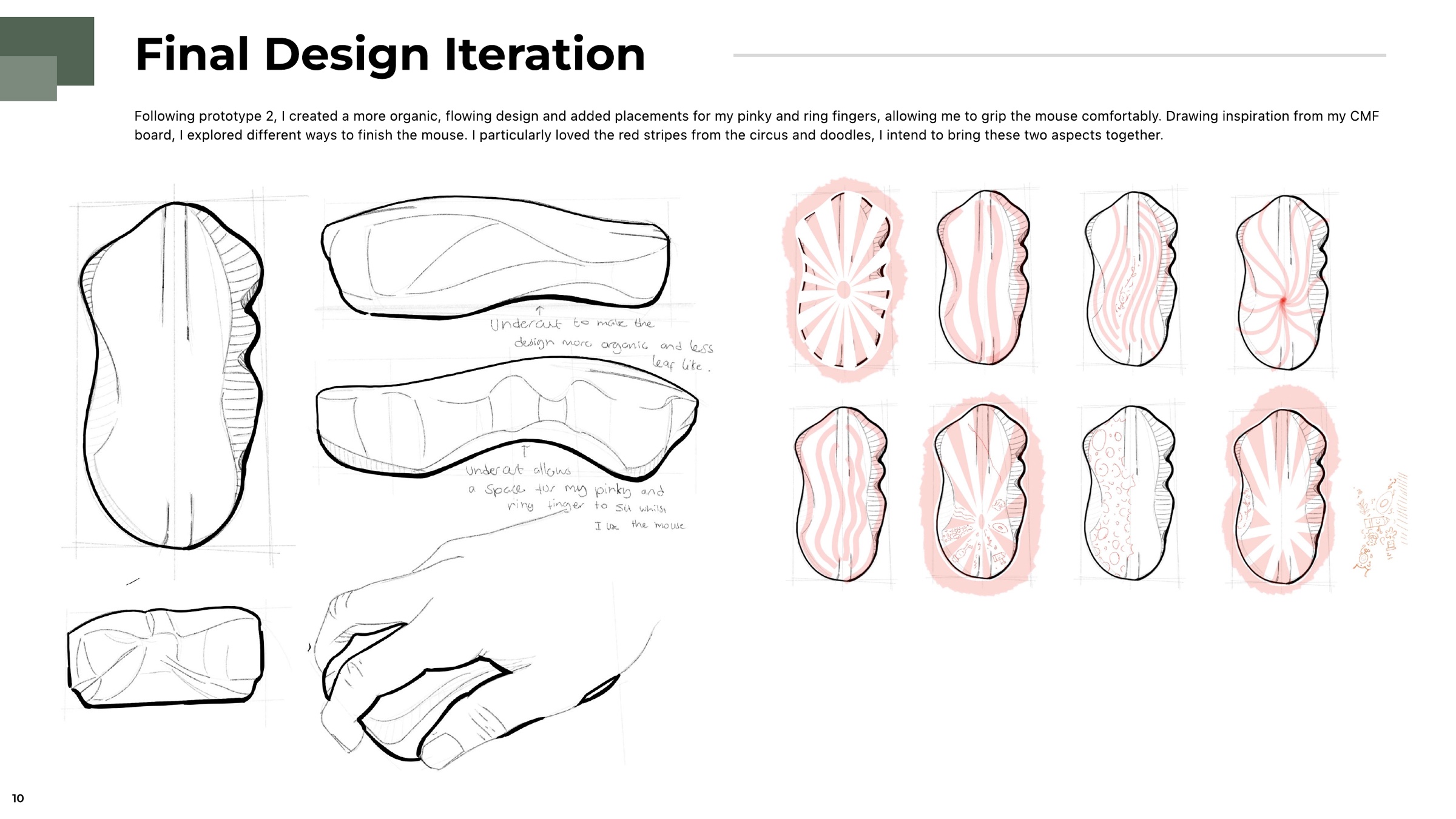
The form loosened into something more organic and less literal, with an undercut that gives the pinky and ring finger a place to sit. Eight finish studies in red narrowed the surface graphic down to a sunburst plus doodles.
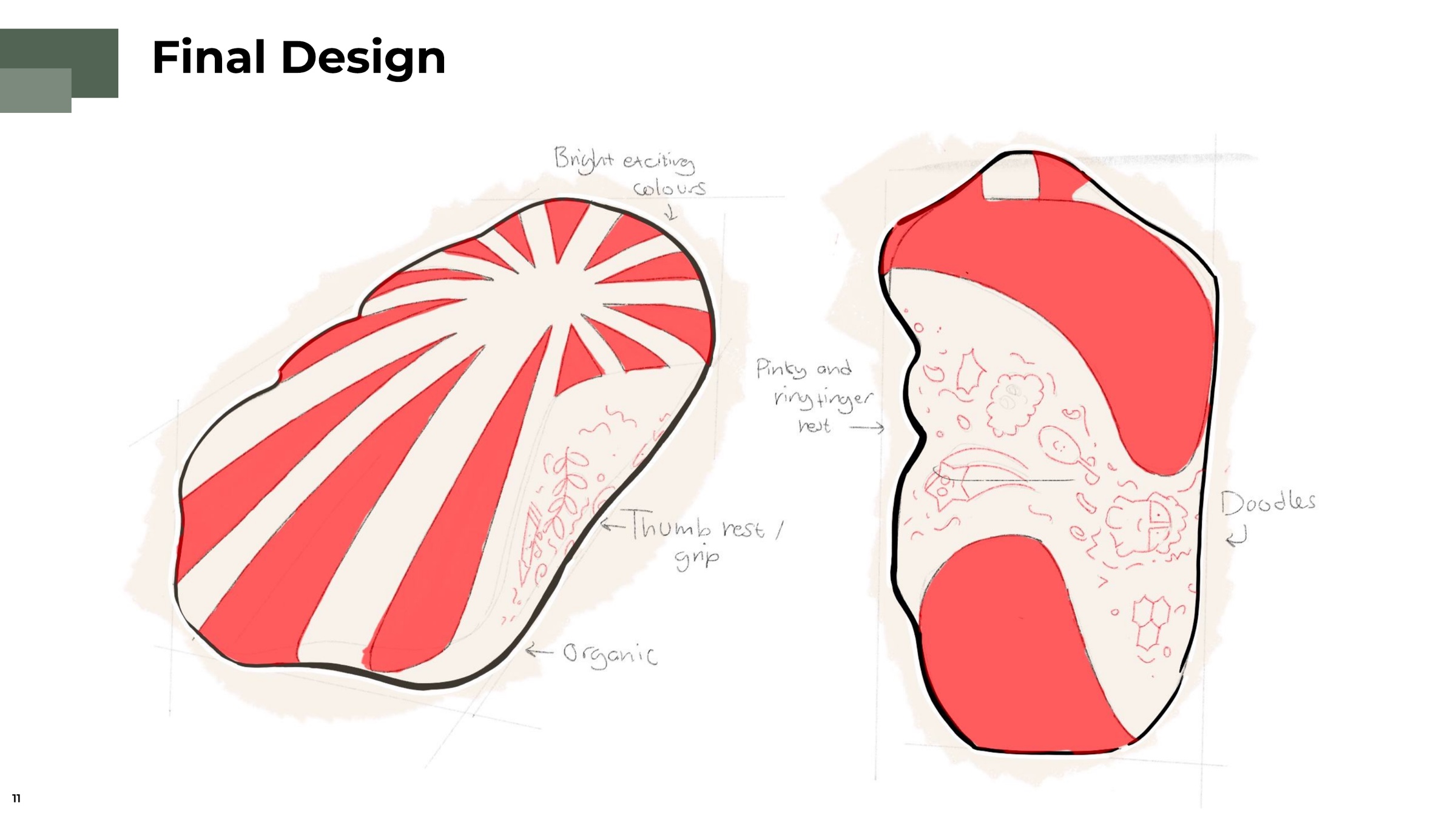
The resolved design: bright circus colour across the top, a doodled thumb rest and grip, the pinky and ring-finger rest cut into the side, and an outline kept deliberately organic.
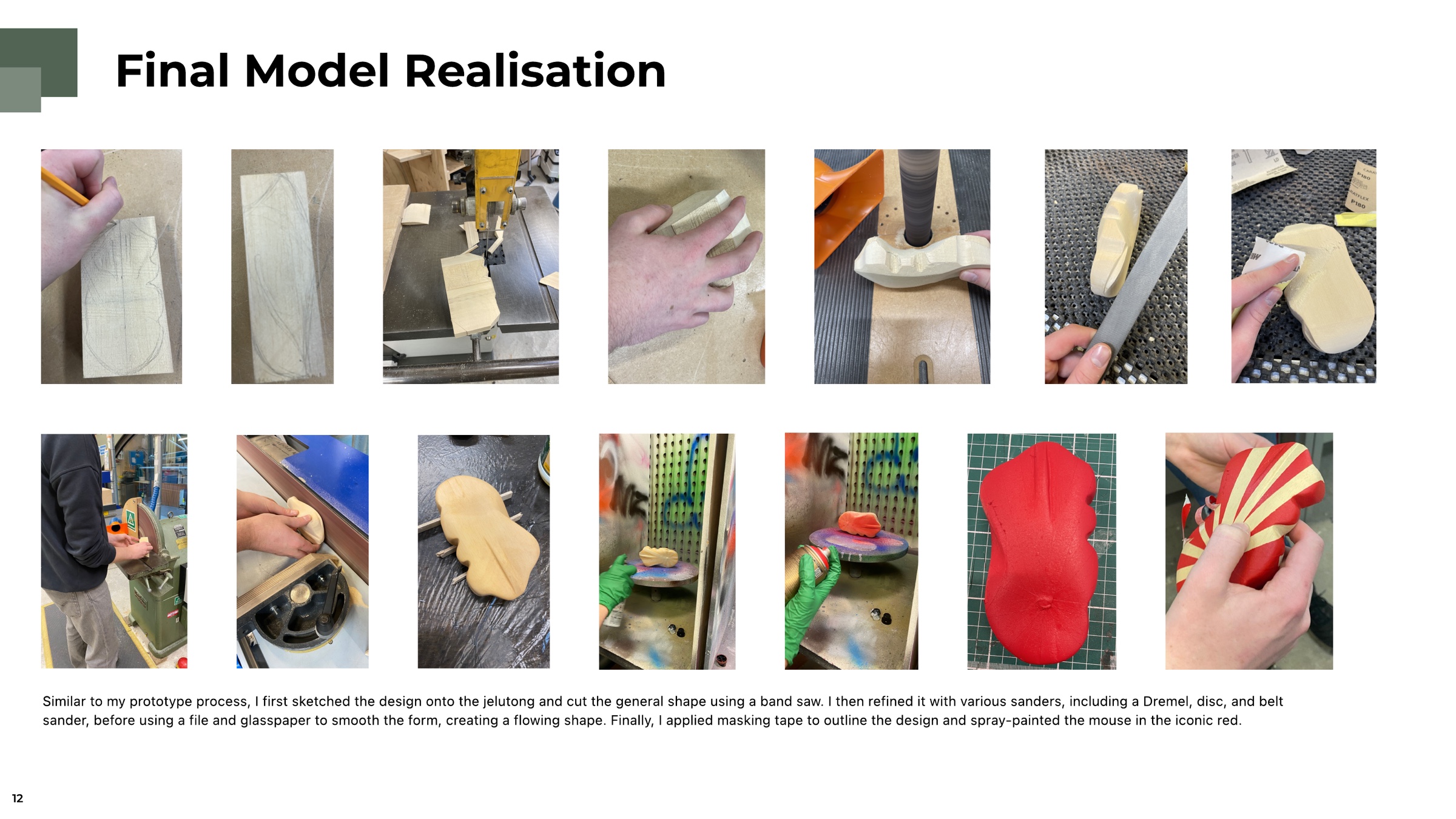
Same process as the prototypes, but in jelutong: sketched on, band-sawn to the rough shape, then refined with Dremel, disc and belt sanders before a file and glasspaper brought the surface to a flowing finish. Masking tape laid out the sunburst, and the mouse was sprayed in the iconic red.
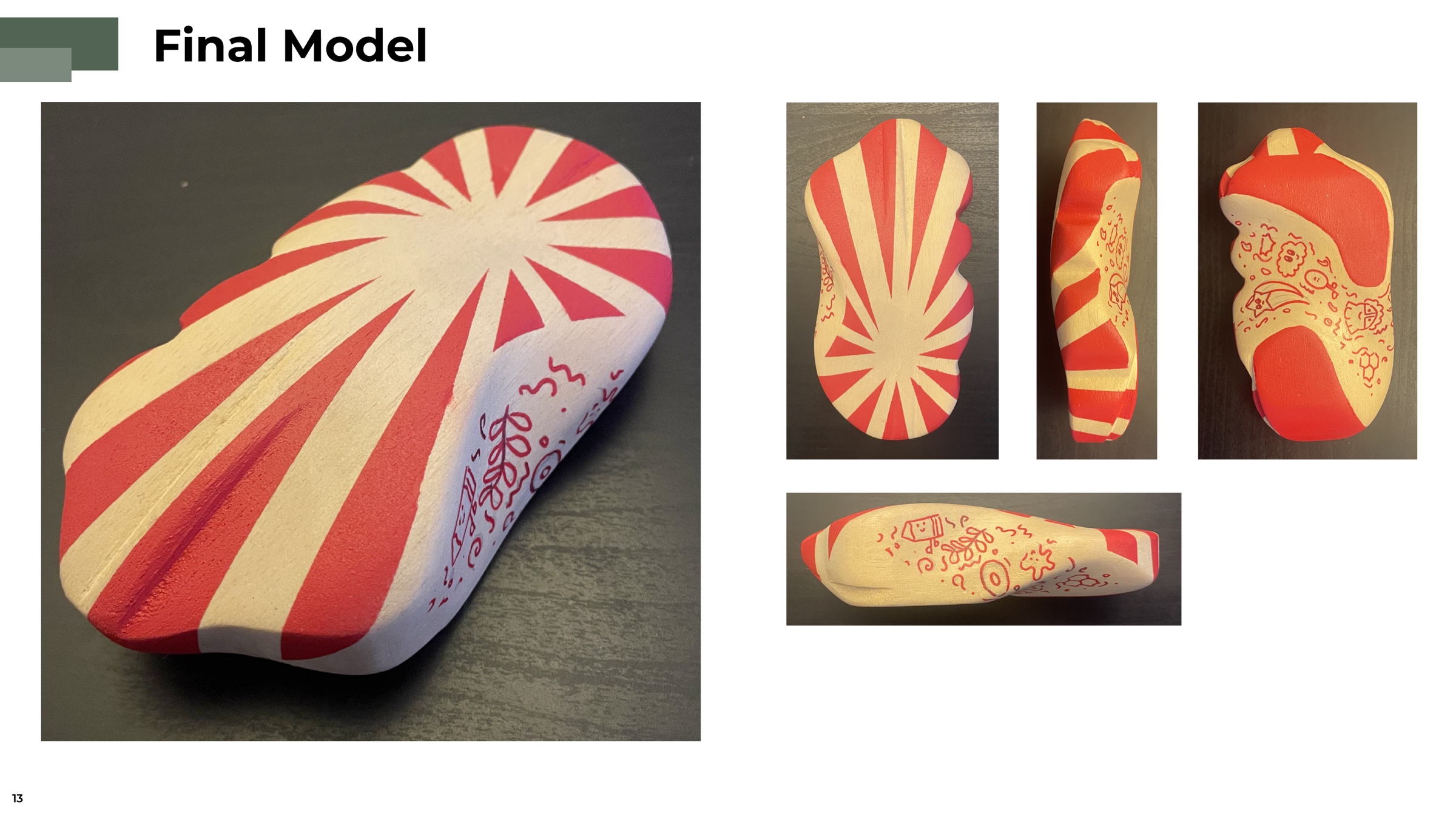
The finished WiggleLeaf — sunburst on the top surface, hand-drawn doodles running down the thumb side and around the base, and the grooved vein running the length of the body as the grip.